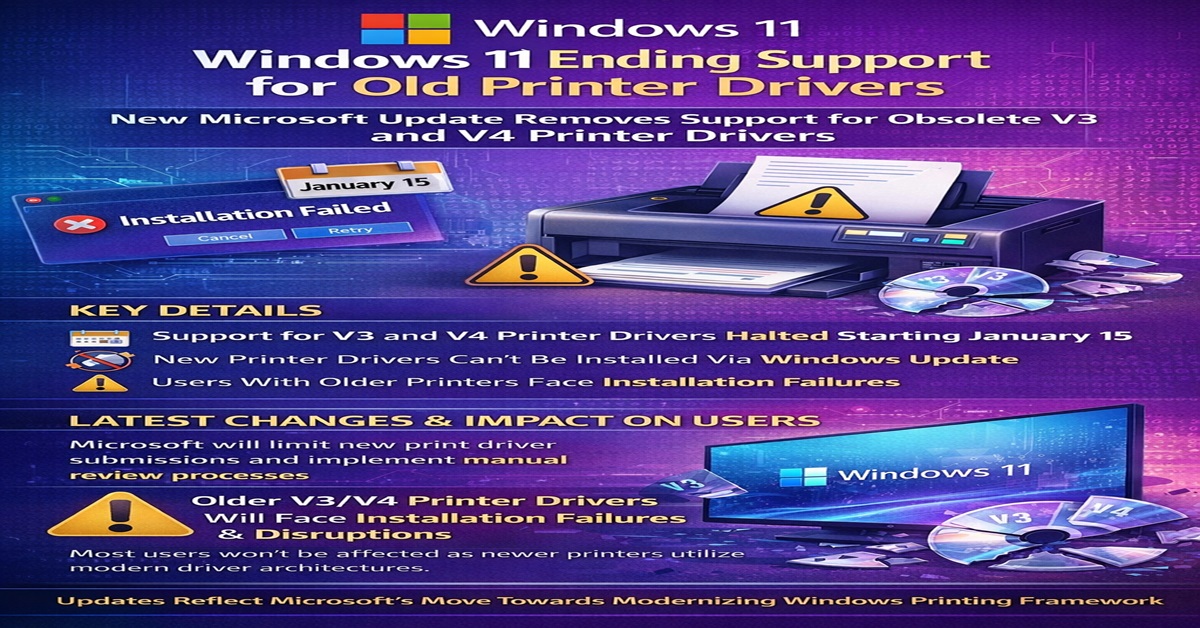
Microsoft is set to implement a significant adjustment in the way printers are managed in Windows 11, discontinuing support for drivers that mainly cater to older equipment. As of a non-security update launched on January 15, Microsoft will cease support for the obsolete V3 and V4 printer drivers, which were deemed deprecated in September 2023.
This initiative is part of a larger strategy to innovate the Windows printing framework following the launch of Windows 10 21H2, which eliminated the necessity for print device vendors to supply their own installers. According to these advancements, users operating on Windows 11 or Windows Server 2025 and later won’t have the ability to install new printer drivers via Windows Update.
Microsoft indicates that current drivers on Windows Update may still receive updates, but this will occur on a selective basis. Starting January 15, new print driver submissions are default blocked and redirected through a manual review process requiring explicit rationale for maintaining support for any legacy driver.
With support now officially halted, users with printers reliant on V3 or V4 drivers may experience installation failures or complete operational disruptions. However, Microsoft emphasizes that the majority of users will remain unaffected, as most newer printers utilize more modern driver architectures.
For those encountering issues, Microsoft advises reaching out to their printer manufacturer to obtain a supported driver or to consider upgrading to a contemporary printing solution. This decision is fundamentally a servicing and security measure. The conventional Windows print driver framework has long been a challenge for Microsoft, plagued by concerns such as the print spooler vulnerability ‘PrintNightmare’ and the complexity of managing thousands of vendor-specific drivers, making the ecosystem increasingly cumbersome to uphold. By limiting what can be distributed through Windows Update, Microsoft is shifting the responsibility for legacy hardware support back to the manufacturers. Beginning July 1, 2026, Windows will alter its internal driver ranking protocols to “prefer” the built-in Microsoft IPP class driver whenever multiple options exist.
A year later, on July 1, 2027, third-party printer driver updates accessed via Windows Update will be restricted to securityrelated enhancements only. Alongside these adjustments, Microsoft seems to be preparing to intensify reliance on Windows Protected Print Mode, which was introduced with the recent Windows 11 24H2 releases. Once activated, it entirely removes third-party printer drivers and confines printing to Microsoft’s class drivers. Although this remains an optional feature for the time being, it suggests Microsoft’s long-term vision for the platform.