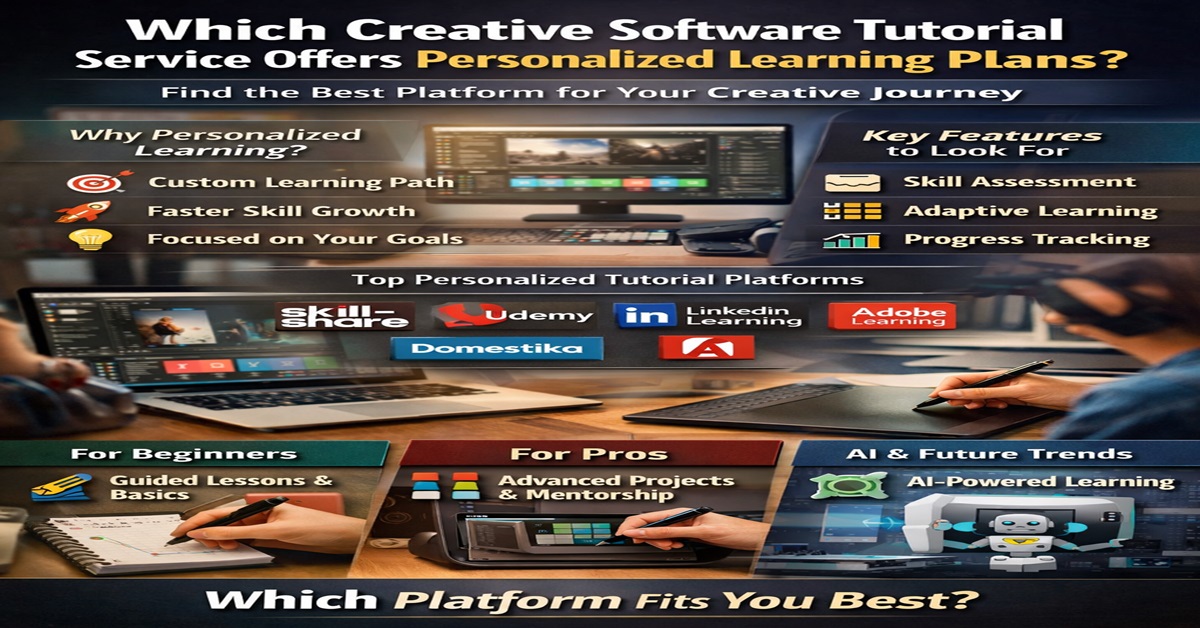
Which Creative Software Tutorial Service Offers Personalized Learning Plans?
Learning creative software today isn’t just about watching videos and copying steps. It’s about learning your way. Whether you’re diving into Photoshop, Premiere Pro, Blender, Figma, or After Effects, the big question is simple: which creative software tutorial service actually offers personalized learning plans that adapt to you? Let’s break it down in a clear, human, and practical way.
Understanding Personalized Learning in Creative Software
What Is a Personalized Learning Plan?
A personalized learning plan is like having a GPS for your skills. Instead of randomly taking courses, the platform understands your current level, goals, and pace—and then maps out what you should learn next. No detours. No wasted time.
Why Personalization Matters for Creative Skills
Creative tools are deep oceans. Jump in without direction, and you’ll drown in features. Personalization keeps you focused on what actually matters for your creative journey—be it graphic design, video editing, UI/UX, or motion graphics.
One-Size-Fits-All vs Custom Learning
Generic tutorials teach everyone the same thing. Personalized platforms adjust lessons based on your progress, strengths, and weaknesses. Think tailored suit vs off-the-rack shirt.
The Growing Demand for Creative Software Skills
Rise of Digital Creativity Careers
From YouTubers and designers to marketers and indie filmmakers, creative software skills are now career currency. Companies want creators who can execute, not just experiment.
Popular Creative Software Tools Today
Adobe Photoshop, Illustrator, Premiere Pro, After Effects, Blender, Figma, Canva, and Procreate dominate the market. Learning them efficiently gives you a serious edge.
From Hobbyists to Professionals
Many people start for fun—but personalization is what helps them go pro faster.
Key Features to Look for in a Personalized Tutorial Service
Skill Assessment and Goal Setting
The best platforms begin by asking questions:
What do you already know?
What do you want to achieve?
That’s where personalization starts.
Adaptive Learning Paths
Smart platforms suggest the next lesson based on what you’ve already completed—like Netflix recommendations, but for skills.
Progress Tracking and Feedback
Dashboards, quizzes, project feedback, and skill meters help you see growth in real time.
Top Creative Software Tutorial Services Offering Personalized Learning
Skillshare
Skillshare uses viewing history and interests to recommend courses. While not deeply personalized, it’s excellent for creative exploration and project-based learning.
Udemy
Udemy allows you to build your own learning path. Personalization is manual—you choose courses—but reviews, levels, and AI suggestions help guide decisions.
LinkedIn Learning
This platform shines in personalization. It assesses your role, skills, and career goals to recommend structured learning paths for creative professionals.
Domestika
Domestika focuses on creative niches. While personalization is lighter, curated tracks and community-driven learning make it feel tailored.
Coursera
Coursera offers structured specialization paths with assessments. Personalization leans more academic but works well for long-term skill building.
How Each Platform Approaches Personalization
- Best AI-based recommendations: LinkedIn Learning
- Best creative-focused inspiration: Skillshare & Domestika
- Best structured paths: Coursera
Adobe’s Learning Ecosystem and Customization
Adobe Tutorials and Adobe Learn
Adobe integrates learning directly inside its software. You learn tools while using them. That’s personalization at the workflow level.
AI-Powered Recommendations
Adobe Sensei recommends tutorials based on your usage patterns. If you use layers a lot, it nudges you toward advanced compositing lessons.
Learning Inside the Software
No platform switch. No distraction. Just learn while creating.
AI-Driven Learning Platforms for Creative Software
How AI Enhances Personal Learning Plans
AI analyzes behavior, progress, and outcomes to tweak your learning path dynamically. Stuck? It slows down. Flying? It speeds up.
Examples of AI-Based Creative Learning Tools
- LinkedIn Learning AI paths
- Adobe Sensei tutorials
- Emerging AI tutor platforms with chat-based guidance
The Future of AI Tutors
Imagine an AI mentor reviewing your design and suggesting improvements. That future is already knocking.
Comparing Subscription-Based vs Mentorship-Based Learning
Self-Paced Personalized Platforms
These are affordable and flexible. Great for independent learners who enjoy freedom.
One-on-One Mentorship Models
Platforms offering mentors provide deep personalization—but cost more. Ideal for serious professionals.
Which Works Best for Creatives?
If you want structure + flexibility, subscription platforms win. For accountability and mastery, mentorship shines.
Benefits of Personalized Creative Software Learning
Faster Skill Development
You skip what you know and focus on what you don’t. Simple math: less time, more growth.
Reduced Learning Burnout
No random hopping between tutorials. Clear direction keeps motivation high.
Confidence Through Custom Progress
Seeing measurable improvement builds confidence—and confidence fuels creativity.
Challenges and Limitations of Personalized Learning Platforms
Cost Factors
Advanced personalization often comes with subscriptions or premium plans.
Quality of Personalization
Not all “personalized” claims are real. Some are just smart recommendations.
Human vs Algorithm-Based Guidance
Algorithms are fast. Humans are nuanced. The best platforms blend both.
How to Choose the Right Personalized Tutorial Service
Identify Your Creative Goals
Career switch? Freelancing? Hobby? Your goal decides the platform.
Match Platform Strengths to Your Needs
- Career-focused: LinkedIn Learning
- Creative exploration: Skillshare
- Software-specific mastery: Adobe Learn
Trial Periods and Reviews
Always test before committing.
Personalized Learning for Beginners vs Advanced Users
Beginner-Friendly Custom Paths
Beginners benefit most from guided learning paths and fundamentals-first approaches.
Advanced Skill Mastery Tracks
Advanced users need project-based challenges and real-world workflows.
Portfolio-Oriented Learning
Platforms with hands-on projects help turn skills into income.
Real-World Use Cases of Personalized Creative Learning
Freelancers
Learn only what clients demand. No fluff.
Students
Build job-ready skills alongside academics.
Career Switchers
Structured personalization speeds up transitions.
Corporate Creative Teams
Upskill teams with role-based learning paths.
Trends Shaping the Future of Creative Software Education
AI, AR, and Interactive Learning
Interactive tutorials and real-time feedback are redefining learning.
Community-Based Personalization
Peer feedback adds a human layer to personalization.
Learning by Doing
The future isn’t watching—it’s creating.
Final Verdict: Which Platform Truly Excels at Personalization?
Overall Best Choice
LinkedIn Learning stands out for structured, role-based personalized learning plans.
Best for Budget Learners
Skillshare offers flexible creative discovery with smart recommendations.
Best for Professionals
Adobe Learn + LinkedIn Learning together provide the most powerful personalized ecosystem.
Conclusion
Personalized learning isn’t a luxury anymore—it’s a necessity. When it comes to creative software tutorials, platforms that understand you will always outperform generic libraries. Whether powered by AI, human mentors, or smart data, personalized learning plans help you learn faster, create better, and stay motivated. Choose wisely, and let your creativity compound.
FAQs
1. What is the best personalized learning platform for creative software?
LinkedIn Learning offers the most structured personalized learning plans.
2. Are AI-based learning plans effective for creatives?
Yes, especially when combined with project-based learning.
3. Is Adobe Learn suitable for beginners?
Absolutely. It teaches directly inside the software, which is beginner-friendly.
4. Can personalized learning help build a portfolio?
Yes, especially platforms with hands-on projects and challenges.
5. Is personalized learning worth the cost?
If time and skill growth matter, the return on investment is high.
Please don’t forget to leave a review.
Explore more by joining me on Patreon