Introduction
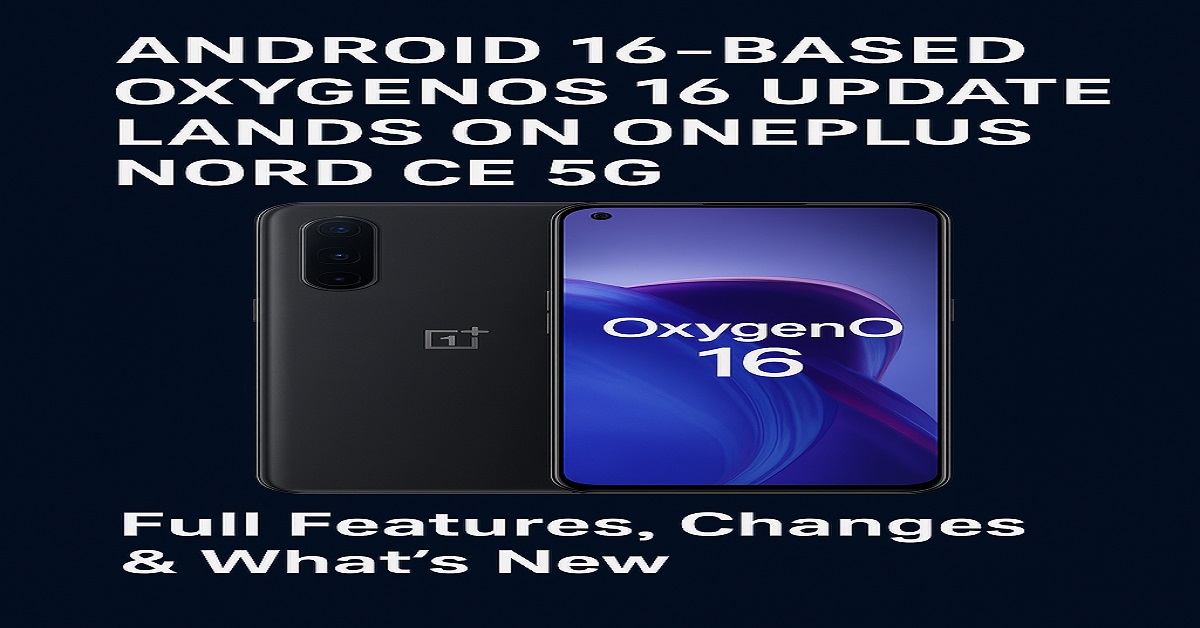
The OnePlus Nord CE 5G has officially received the Android 16-based OxygenOS 16 update, delivering a fresh user experience, upgraded personalization, enhanced performance, and more robust security. This major software update marks a significant leap for Nord CE users, placing the device on par with OnePlus’ newer smartphones in terms of software smoothness and capabilities.
Overview of the Update
Rollout Timeline
OnePlus has begun rolling out the update in stages. Initially, it reaches a limited number of users, with a broader rollout expected over the next few days. This gradual method ensures stability and helps the company address any unforeseen issues quickly.
Supported Devices
At the moment, the OnePlus Nord CE 5G is the primary device receiving this update. Additional Nord-series models may receive it in subsequent phases.
What’s New in OxygenOS 16
Revamped UI
The update brings a more polished UI with refined animations, modern icons, and improved transitions resembling the flagship experience.
Performance Boost
With OxygenOS 16, the Nord CE 5G becomes noticeably faster. App launching and multitasking feel snappier thanks to improved system-level optimizations.
Advanced Privacy & Security
New Android 16 security layers ensure better app permission handling, real-time threat detection, and safer browsing.
Android 16 Features on OnePlus Nord CE 5G
Smarter System Intelligence
Android 16 introduces enhanced machine-learning features that study usage patterns to accelerate common actions and reduce background drain.
Enhanced Notification Controls
Notifications are more customizable with new grouping options, improved quick replies, and advanced priority filtering.
Better Background Management
The update optimizes background processes, resulting in reduced lag and better battery endurance.
System Performance Enhancements
Faster App Launching
Users should notice apps opening significantly quicker thanks to CPU scheduling improvements.
Improved RAM Management
Multitasking has been optimized, allowing more apps to stay active in the background without reloading.
User Interface Improvements
New Layout Designs
OxygenOS 16 offers a cleaner home screen layout and refreshed widgets for better usability.
Dynamic Theming
System themes now adapt more naturally to wallpapers, offering harmonized color accents across menus and apps.
Redesigned Quick Settings
The Quick Settings panel has a modernized look with larger toggles and smoother animations.
Camera & Multimedia Upgrades
Enhanced AI Camera Engine
Image processing has been improved, resulting in sharper photos, richer colors, and better low-light performance.
Better Video Stability
With enhanced stabilization algorithms, users can enjoy clearer videos even while moving.
Battery & Optimization Features
Smart Charging Protection
To prevent excessive battery wear, the device intelligently regulates charging patterns based on your habits.
Battery Lifespan Optimization
New adaptive power profiles help extend overall battery health over long-term usage.
Connectivity Improvements
Stronger 5G Performance
Users will notice more stable 5G connectivity and reduced signal dropouts.
Wi-Fi Stability
Wi-Fi switching and roaming have been improved for smoother online experiences.
Gaming Enhancements
HyperBoost Engine
The update brings better GPU and CPU coordination to ensure faster frame rates and reduced thermal throttling.
Game Mode Upgrades
Gamers get enhanced notification control, better resource allocation, and improved touch response.
Known Issues and Bugs
While OxygenOS 16 is stable, some users may encounter:
- Temporary app glitches after updating
- Slight battery drain due to background optimization
- Minor UI animation delays
These issues often resolve automatically after a few days of usage.
How to Install OxygenOS 16 on OnePlus Nord CE 5G
Step-by-Step Guide
- Go to Settings
- Tap System
- Select System Updates
- Click Download & Install
- Restart your device once installation completes
Should You Update Now?
Absolutely. The Android 16-based OxygenOS 16 update brings major improvements, making the device feel newer and smoother. Unless you depend heavily on sensitive apps with compatibility concerns, updating is highly recommended.
Conclusion
The arrival of the Android 16-based OxygenOS 16 update on the OnePlus Nord CE 5G is a major upgrade for users who want a refined UI, stronger performance, longer battery life, and new personalization features. Whether you’re a gamer, content creator, or everyday user, this update enhances nearly every aspect of the device.
FAQs
1. Is OxygenOS 16 stable on OnePlus Nord CE 5G?
Yes, it is generally stable with minor issues that resolve after optimization.
2. How big is the update size?
It may vary, but typically around 1.5GB to 2.5GB depending on region.
3. Does this update improve gaming performance?
Yes, the HyperBoost Engine significantly boosts gaming stability and touch response.
4. Will my data be erased after updating?
No, but it’s always best to back up your data before installing a major update.
5. Is this update available globally?
It is rolling out in phases globally, starting with select regions.