The Nothing OS 4.0 update has officially rolled out for the Phone (3a) series, bringing a refined user experience, improved performance, enhanced customization, and several system-level upgrades. As part of Nothing’s commitment to minimalistic design and smooth performance, this update packs powerful features that elevate both productivity and personalisation for users.
In this comprehensive guide, we explore everything included in the Nothing OS 4.0 release and how users can seamlessly upgrade their devices to enjoy the latest enhancements.
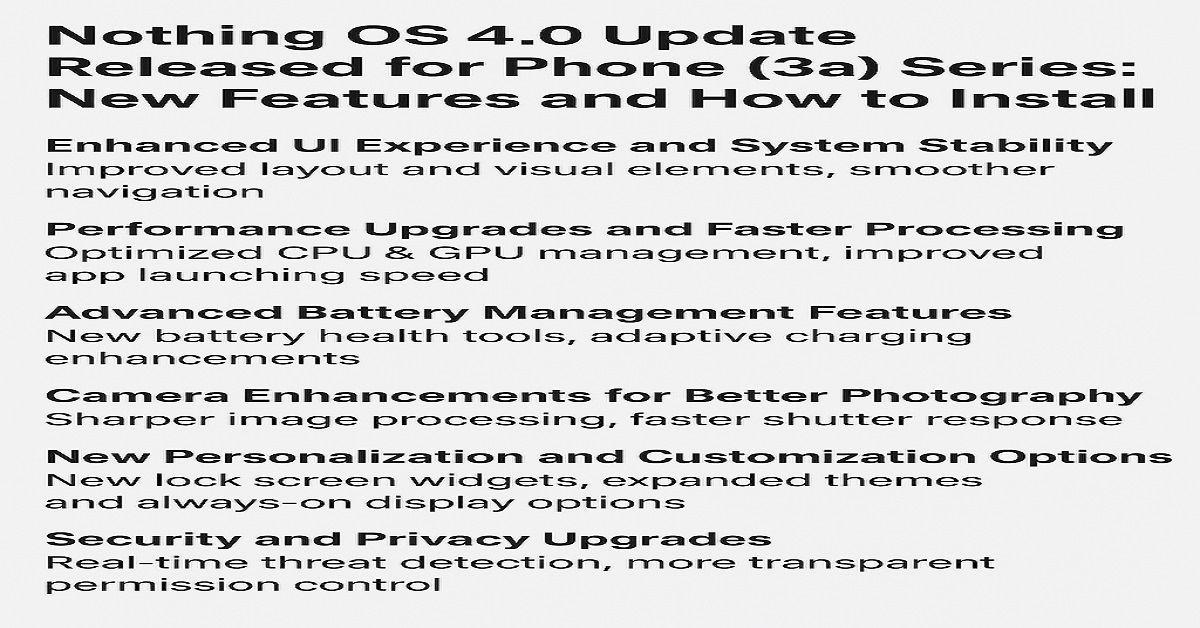
Enhanced UI Experience and System Stability
The Nothing OS 4.0 update focuses heavily on user interface refinement and fluidity. The redesigned UI ensures smoother animations, improved touch responsiveness, and an overall more polished look.
Improved Layout and Visual Elements
With OS 4.0, Nothing has enhanced its signature transparent aesthetics. Icons appear sharper and more vibrant, while the dynamic color system adapts better to wallpapers, giving the interface a unified visual feel.
Smoother Navigation
Users will notice faster response times, reduced latency, and more consistent transitions between apps and menus. Nothing has optimized the underlying architecture, resulting in a seamless day-to-day experience.
Performance Upgrades and Faster Processing
The update introduces a range of system optimizations aimed at boosting performance, particularly for gaming, heavy multitasking, and power-intensive applications.
Optimized CPU & GPU Management
Nothing OS 4.0 intelligently balances processing loads, ensuring more efficient performance without draining the battery. Whether running productivity apps or 3D games, users will experience increased speed and stability.
Improved App Launching Speed
Apps open quicker due to improved caching mechanisms. Background activities are better regulated, reducing slowdowns even with multiple apps running.
Advanced Battery Management Features
Battery performance receives a significant enhancement with Nothing OS 4.0, ensuring longer usage while maintaining efficiency.
New Battery Health Tools
Users can now monitor long-term battery health more accurately. The feature includes:
- Battery longevity insights
- Charging cycle data
- Smart charging recommendations
Adaptive Charging Enhancements
The updated adaptive charging algorithm slows battery aging by learning user behavior and adjusting charge speed accordingly, especially during overnight charging.
Power-Saving Improvements
The power-saving modes now preserve more energy with intelligent process control, offering extended battery life for those who frequently travel or stay outdoors.
Camera Enhancements for Better Photography
The Phone (3a) lineup’s camera receives several upgrades designed to improve clarity, color accuracy, and low-light performance.
Sharper Image Processing
Thanks to enhanced image algorithms, photos now display:
- Better dynamic range
- Reduced noise
- More accurate skin tones
Faster Shutter Response
The camera app launches faster, and the shutter lag is significantly reduced, enabling quick capture of moving subjects without blur.
Improved Night Mode
Low-light photography gets an upgrade with:
- Enhanced brightness
- Higher detail preservation
- Better AI scene detection
New Personalization and Customization Options
Nothing OS 4.0 brings more freedom to customize how the device looks and behaves.
New Lock Screen Widgets
Users can add interactive widgets for:
- Weather
- Calendar events
- Music controls
- Fitness insights
Expanded Themes and Always-On Display Options
New themes include customizable fonts, icon shapes, and ambient display animations, allowing deeper personalization.
Security and Privacy Upgrades
Security remains a priority, and OS 4.0 strengthens it with several features.
Real-Time Threat Detection
The built-in security engine now identifies suspicious activity instantly, enhancing device protection.
More Transparent Permission Control
Users gain granular control over:
- App permissions
- Background data access
- Microphone and camera usage
Improved Data Encryption
Nothing OS 4.0 ensures stronger encryption, safeguarding personal information across apps and cloud services.
Connectivity Improvements and Bug Fixes
Connectivity has been significantly improved, especially in network switching, Bluetooth consistency, and overall stability.
Stronger Wi-Fi and Bluetooth Integration
Connections remain stable even when switching networks or pairing multiple devices.
Network Optimization
Phone (3a) models now maintain stronger 5G and LTE signals in challenging environments, offering faster browsing and smoother video streaming.
General Bug Fixes
The update resolves previously reported issues such as:
- Random app crashes
- Touchscreen sensitivity problems
- Notification delays
- Heating issues during heavy use
Gaming Enhancements and Thermal Management
Nothing OS 4.0 optimizes GPU output and improves thermal efficiency during extended gaming.
Better Game Mode Experience
Game Mode now includes:
- Notification filtering
- Performance boost options
- Optimized frame rate management
Advanced Heat Control
The thermal engine has been upgraded to keep the device cool during long gaming sessions or high-speed downloads.
How to Install Nothing OS 4.0 on Phone (3a) Series
Upgrading to the latest OS is simple. Follow these steps to install the update safely.
Step 1: Check for Update
Open Settings → System → System Update
Tap on Check for Updates to see if the Nothing OS 4.0 package is available.
Step 2: Ensure Sufficient Battery
Make sure your phone has at least 50% battery or is plugged into a charger.
Step 3: Connect to a Stable Wi-Fi Network
The update size may vary, so a stable connection ensures an error-free download.
Step 4: Download and Install
Tap Download, wait for the package to complete, and then click Install Now.
Your phone will restart and optimize apps during installation.
Step 5: Set Up New Features
After the update, explore new customization options, camera improvements, and system tools to personalize your experience.
Final Thoughts
The Nothing OS 4.0 update for the Phone (3a) series is a major advancement, bringing refined design, enhanced performance, smarter battery management, and deeper customization. Whether you’re a productivity enthusiast, gamer, or photography lover, this update delivers a noticeably upgraded experience.
With its clean interface and improved responsiveness, Nothing continues its commitment to offering a modern and innovative smartphone ecosystem.