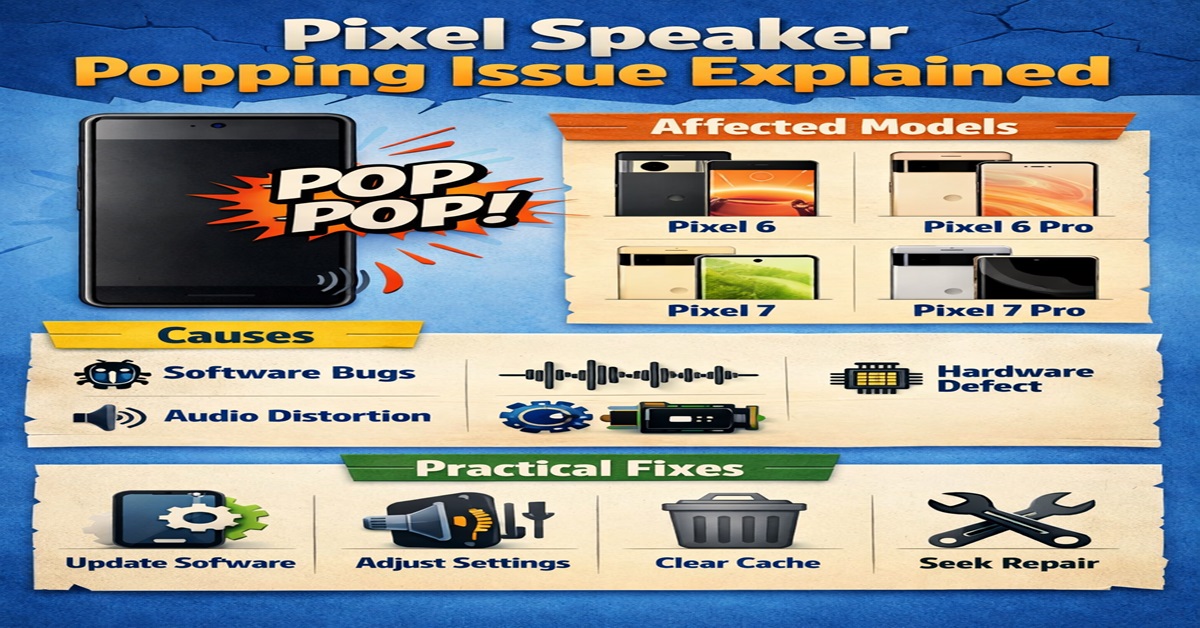
Owners across multiple Pixel generations are reporting a sudden, sharp popping sound from the device speakers—an audio artifact that appears without warning and breaks the immersion of otherwise premium hardware. The sound is often described as a split-second, high-energy “clip”, resembling a brief overload or electrical snap. What makes this issue particularly disruptive is that it frequently occurs in quiet environments, during podcasts, audiobooks, or music playback, and sometimes even when the system volume is set very low or muted entirely.
We analyze the problem comprehensively, covering affected Pixel models, real-world usage scenarios, technical causes within the Android audio stack, and practical mitigation steps users can take today—while also examining what a long-term fix may look like.
Understanding the Pixel Speaker Pop Phenomenon
The reported speaker pop is not a continuous distortion or crackle. Instead, it is a brief transient spike—a momentary burst of sound that can feel startling, especially when listening at low volume. Users often notice it when:
- Launching a game or app that plays a startup sound
- Switching away from a media app while audio is active
- Receiving notifications over ongoing playback
- System UI sounds overlapping with music or voice content
What elevates concern is the consistency of the description across users: the pop can occur despite conservative volume levels, and in some cases, even when system volume is muted. This strongly suggests the issue exists below standard volume controls, deeper in the audio processing pipeline.
Pixel Models and Usage Conditions Reportedly Affected
Reports consistently reference the following devices:
- Pixel 10
- Pixel 10 Pro
- Pixel 10 Pro XL
- Mentions of earlier Pixel generations
The cross-model nature of these reports indicates that this is not an isolated hardware defect tied to one device. Instead, the pattern points toward a shared software or audio pipeline behavior affecting multiple generations.
Common Triggers Identified
- Launching apps with intro jingles
- Switching rapidly between media apps
- Receiving system sounds during playback
- Overlapping UI chimes and streaming audio
Importantly, the issue is intermittent. Not every attempt reproduces the pop, which complicates both user troubleshooting and support escalation. Intermittency often indicates timing-sensitive audio transitions, rather than permanent speaker damage.
Technical Analysis: What Might Be Causing the Pops
From an audio engineering perspective, the symptoms align with poorly managed audio transitions. Several technical factors can independently—or collectively—produce a transient pop:
1. Rapid Stream Start and Stop
If an audio stream starts or ends without a proper fade-in or fade-out, a sudden change in signal amplitude can occur. When the waveform does not begin at a zero crossing, a DC offset spike may be sent directly to the amplifier.
2. Sample Rate and Format Switching
Android frequently switches between sample rates, codecs, and audio formats when moving between media playback and system sounds. If these transitions are not synchronized perfectly, the speaker may receive a momentary gain spike.
3. Audio Focus Mismanagement
When multiple apps compete for audio focus—such as a podcast app and a system notification—the mixer may briefly enable or disable streams in a way that causes an audible transient.
The Android Audio Stack and Where Things Can Go Wrong
On Pixel devices, audio flows through several layers:
- AudioFlinger (Android’s system mixer)
- Vendor-specific Audio HAL
- Device DSP and amplifier pop-suppression logic
A regression at any layer can allow a transient click to pass through. The risk increases when:
- Two streams overlap (media + UI sound)
- Compressed offload paths are enabled
- Spatial audio or adaptive sound switches mid-playback
- Device-specific DSP profiles are activated dynamically
If the amplifier’s pop-suppression circuit fails to engage quickly enough, the result is an audible pop through the speakers.
Speakers vs Headphones: Why the Distinction Matters
Most user anecdotes focus on the phone’s built-in speakers. It remains unclear whether the same behavior occurs with:
- Wired headphones
- USB-C audio accessories
- Bluetooth headsets
This distinction is critical. If the pop is absent on headphones, it suggests the issue lies in the speaker amplifier path. If it persists across all outputs, the fault is likely in the broader Android audio pipeline.
Historical Context: Similar Audio Glitches on Pixel Devices
This is not the first time Pixel users have reported speaker anomalies. Over the years, similar complaints have appeared on:
- Google Support Community
- Reddit (r/GooglePixel)
- XDA Developers Forums
Several older threads also describe pops occurring at zero volume, reinforcing the theory of a low-level mixing or hardware gating issue rather than a user settings problem. The recurrence across generations suggests a long-standing architectural edge case that surfaces under specific conditions.
Temporary Workarounds to Reduce Speaker Pops
While no universal fix exists yet, several practical strategies can reduce how often the issue occurs:
Pause Media Before Launching Apps
Stopping playback before opening apps known to play sounds can prevent overlapping audio streams.
Disable Nonessential System Sounds
Turning off:
- Touch feedback
- Keyboard clicks
- Notification previews
reduces the number of simultaneous audio events competing for focus.
Reboot and App Cache Management
Some users report fewer incidents after:
- Restarting the device
- Clearing cache for apps that frequently overlap audio
Results vary, but these steps can stabilize the audio state temporarily.
Use Headphones as a Stopgap
If the issue is limited to speakers, headphones can help avoid sudden room-filling pops during multitasking.
How to Report the Issue Effectively
High-quality reports dramatically increase the chances of a fix. When submitting feedback, include:
- Exact device model
- Build number
- Audio settings (spatial audio, adaptive sound, EQ states)
- Connected accessories
- Apps involved
- Precise timestamps and reproduction steps
Use the built-in feedback tool or post detailed reports on the Google Support Community. Logs paired with consistent reproduction steps are invaluable for engineers tracing transient audio faults.
What Comes Next: Outlook for Pixel Owners
Given the breadth of reports across models and Android versions, a software-level fix is the most plausible resolution. This could arrive as:
- A platform-level Android patch
- A Pixel-specific audio stack update
- Improvements to AudioFlinger transition handling
Until official acknowledgment or patch notes mention audio stability improvements, the most effective approach is to minimize overlapping audio, document reproducible cases, and monitor upcoming updates closely.
Conclusion
The Pixel speaker popping issue highlights how even brief audio artifacts can undermine an otherwise refined user experience. Evidence strongly suggests a system-level audio transition problem, not isolated hardware failure. By understanding the triggers, applying temporary workarounds, and reporting detailed logs, users can protect their listening experience while contributing to a long-term fix.