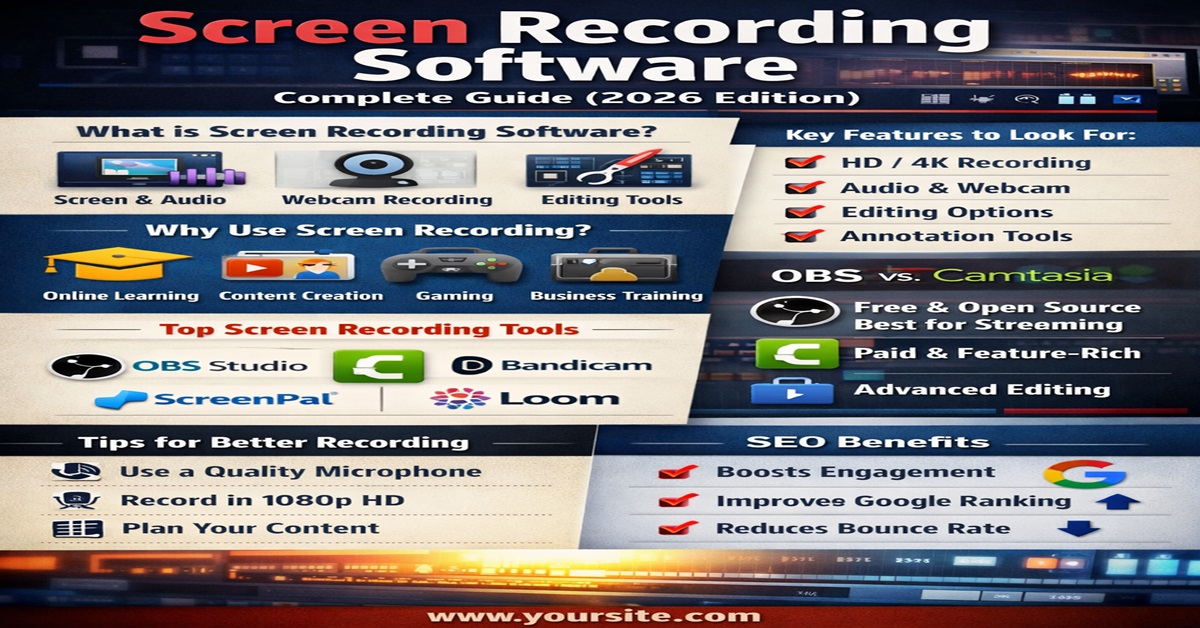
In today’s fast-growing digital era, screen recording software has become one of the most powerful tools for communication, education, and content creation. Whether you are a student creating tutorials, a professional conducting training sessions, or a gamer sharing gameplay, screen recording tools help you capture and share your screen with ease.
This detailed guide will explain everything you need to know about screen recording software, including features, benefits, types, tools, and expert tips to help you create high-quality content and rank better on Google.
What is Screen Recording Software?
Screen recording software is a tool that allows users to capture their screen activity in real time. It records everything displayed on your screen, including:
- Mouse movements
- Click actions
- System audio
- Microphone voice
- Webcam video
These recordings are usually saved as video files that can be edited, shared, or uploaded online.
Modern screen recorders also come with built-in editing tools, annotations, and AI features, making them even more powerful.
Why Screen Recording Software is Important
Screen recording is no longer just for tech experts. It is used across multiple industries for various purposes.
1. Online Learning & Education
Teachers and students use screen recording to create video lessons, explain concepts, and share notes visually.
2. YouTube & Content Creation
Creators use it to make tutorials, reviews, and walkthrough videos. High-quality recordings improve audience engagement.
3. Business & Training
Companies use screen recording software for employee training, onboarding, and presentations.
4. Gaming Industry
Gamers record gameplay and stream live content using advanced tools with high FPS support.
5. Technical Support
IT professionals use recordings to explain issues step-by-step, saving time and improving clarity.
Key Features of Screen Recording Software
When choosing the best screen recording software, consider these essential features:
✔ High-Quality Video Recording
Supports HD, Full HD, or even 4K recording for professional output.
✔ Audio Recording
Ability to record both system sound and microphone simultaneously.
✔ Webcam Integration
Useful for tutorials, reaction videos, and presentations.
✔ Editing Tools
Includes trimming, cutting, transitions, and effects to enhance video quality.
✔ Screen Annotation
Allows you to draw, highlight, or add text during recording.
✔ Multi-Format Export
Supports formats like MP4, AVI, MOV, and GIF.
✔ Cloud Sharing
Some tools allow instant sharing via links or cloud storage.
Types of Screen Recording Software
There are different types of screen recorders available based on user needs:
1. Free Screen Recorders
Ideal for beginners. These tools provide basic features but may include watermarks or limitations.
2. Paid Screen Recorders
Offer advanced features like editing, no watermark, and premium support.
3. Online Screen Recorders
No installation required. You can record directly from your browser.
4. Mobile Screen Recording Apps
Available for Android and iOS devices, often built into smartphones.
Best Screen Recording Software in 2026
Here are some of the most popular and reliable tools:
1. OBS Studio
A free and open-source software widely used for recording and live streaming. It supports multiple scenes, audio mixing, and customization.
2. Camtasia
A premium tool that combines screen recording with powerful video editing features, making it ideal for professionals and educators.
3. Bandicam
Lightweight and perfect for recording gameplay with high performance.
4. ScreenPal (Screencast-O-Matic)
User-friendly and great for beginners and quick recordings.
5. Loom
Best for business communication and quick video sharing.
OBS vs Camtasia: Quick Comparison
Choosing between tools like OBS and Camtasia depends on your needs:
- OBS Studio
- Free and open-source
- Best for live streaming and gaming
- Requires separate editing software
- Camtasia
- Paid software
- Includes built-in video editing
- Ideal for tutorials and training videos
OBS offers powerful recording and streaming features, while Camtasia provides an all-in-one solution with editing tools.
How to Choose the Right Screen Recording Software
Selecting the right software depends on your purpose:
- For beginners: Choose simple tools with easy UI
- For professionals: Use advanced tools with editing features
- For gaming: Look for high FPS and low lag
- For business: Choose tools with cloud sharing and collaboration
Also consider your system performance, budget, and required features before making a decision.
Tips for High-Quality Screen Recording
To create professional videos, follow these expert tips:
- Use a good microphone for clear audio
- Record in a quiet environment
- Keep your screen clean and organized
- Plan your script before recording
- Use highlights and annotations
- Record in high resolution (at least 1080p)
- Edit your video for better engagement
SEO Benefits of Screen Recording Content
Screen recordings are not just useful—they are also powerful for SEO.
✔ Improves Engagement
Videos keep users on your website longer.
✔ Reduces Bounce Rate
Visitors are more likely to stay and watch content.
✔ Boosts Google Ranking
Google prefers rich content like videos and tutorials.
✔ Increases Conversions
Video content converts better than text alone.
Adding screen recordings to your blog or website can significantly improve your visibility and ranking.
Future of Screen Recording Software
The future of screen recording software is driven by AI and automation. New tools now offer:
- AI-generated subtitles
- Automatic editing
- Voice enhancement
- Smart annotations
- Cloud-based collaboration
As technology evolves, screen recording will become even more accessible and powerful.
Conclusion
Screen recording software is an essential tool in 2026 for education, business, and content creation. Whether you are a beginner or a professional, choosing the right tool can help you create high-quality videos, improve productivity, and grow your online presence.
With features like HD recording, editing tools, and cloud sharing, modern screen recorders make it easier than ever to communicate visually and effectively.